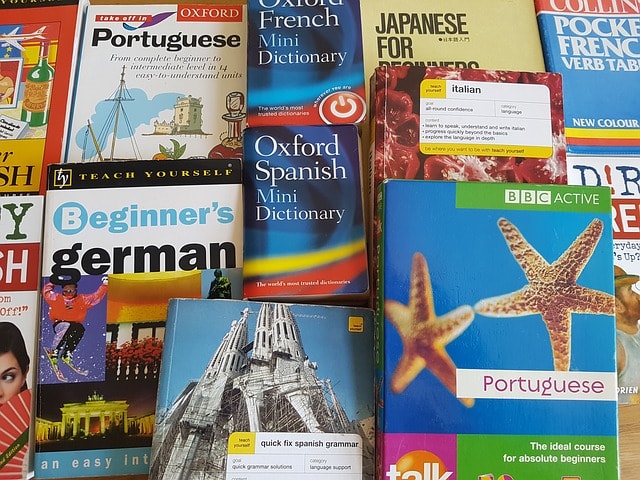
If you do business in a multicultural society like Vancouver and Coquitlam, you will soon realize that targeting ONLY the English speaking audience will limit your business growth. This applies especially to the Vancouver eCommerce and real estate websites. Customers are more likely to convert if the information about the products and services are available in their own language. Website localization can add value to your business and opens up new markets for your business.
How to translate a page
If you own a WordPress site, it is easy to integrate language translator into your website using free plugins as well Google’s free translation service. With this method, you can translate the site into 100+ languages using multilingual plugins and snippets.
In this blog, we will learn about the free and premium multilingual plugins to translate website for all languages.
Google Translate Website ( without plugin )
If you have used google to translate words and sentences in the past, you can use the same translation library and include it into your website. Google offers this website translator service for free. Here is how to do it,
- Go to this link https://translate.google.com/manager/website/
- Add your website URL
- Choose the original language of your website
- Choose the translation languages
- Get the code
- Copy & Paste the translation code into your website pages or posts
That’s it. Once you complete the process, you will see a google translator with all the selected languages readily available on your website.
Google language translator using the multilingual plugin
Google multilingual plugins use the same concept & library but they are easier to add compared to the raw google translation code. Some plugins provide additional customization to match the google translator with your website design. Here are a few popular google website translator that you can use on your website for free,
Google Language Translator by Rob Myrick: With more than 100,000+ active installation on WordPress sites, this plugin ranks higher with great clients reviews. We have used this free plugin on various sites (we have developed) without any issues. Follow these simple steps to start transforming your website into a multilingual site.
Installation Part 1:
- Go to your WordPress dashboard
- Click on Plugins
- Click on Add new
- Search for “google language translator ”
- Select Google Language Translator by Rob Myrick
- Install and activate the plugin
Installation Part 2:
- Find the recently installed google translator under Dashboard > Settings > Google Language Translator
- Click the checkbox to activate the plugin under Plugin Status
- Select your languages and adjust the setting based on your requirement
- To use this plugin into your website copy and paste various codes under Usage
- Click on Save Changes
Translate WordPress with GTranslate by Translate AI Multilingual Solutions: Another popular translator plugin with 100,000+ active installations and 640 5-star reviews to translate your website into 100+ languages.
Installation Part 1:
- Go to the WordPress dashboard
- Click on Plugins
- Click on Add new
- Search for “google GTranslate”
- Select Translate WordPress with GTranslate by Translate AI Multilingual Solutions
- Install and activate the plugin
Installation Part 2:
- Find your recently installed plugin under Dashboard > Settings > GTranslate
- Select various options to customize the plugin
- Select the languages you want to translate
- Copy and paste the shortcode into the header and footer of your website files to start using the translator.
If you are targeting a particular niche and language plays an important role, merely using google translator might not be professional enough for your business. You might need a platform to manually translate the website into 1 specific language rather than using a translator for all languages. To offer precise translation with manually translated content, there are 2 highly rated plugins
Polylang: Polylang is a free WordPress multilingual manual translator. Besides your normal web pages, Polylang also translates custom post types, taxonomies, menus, widgets and links (URLs). It is also compatible with the multisite. Click here to compare features and plans. With the premium plan, you can unlock advanced features and premium support.
If you want to use the automatic translation with Polylang you can add free add-on called Lingotek. When you activate Polylang, Lingotek add-on is automatically added to your dashboard.
WPML: WordPress Multilingual Plugin is a powerful premium plugin that is widely used by almost all of the multilingual premium WordPress theme. The pricing starts at $29 unto $159. It comes with a 30 days money back guarantee and translates over 40 languages. WPML site states that there are 600,000+ sites currently running this plugin around the world.
Also, with this plugin, you can take advantage of their string translation interface and directly translate plugins through your WordPress admin dashboard. This translation management software allows you to connect your website with any translation service provider.
If you are running a simple informative business website (or blogging website) and need to translate site into other languages, google translator is easy and ready to integrate. Simply follow the google language translator steps above start reaching a wider audience.
If you are looking to target more specific audience and planning to use precise translated content, WPML and Polylang are your best options. These plugins come with detail documentation and you can customize them based on your unique needs and requirements.
Before you implement any changes to your existing site, you should first run a test site and see how everything works. If the plugin you’ve chosen address the demand and meet your expectation, you can install it into your site.